Sermon Suite
A modern, searchable sermon library for your church — free, forever.
Beautiful on the front end. Simple in the back.
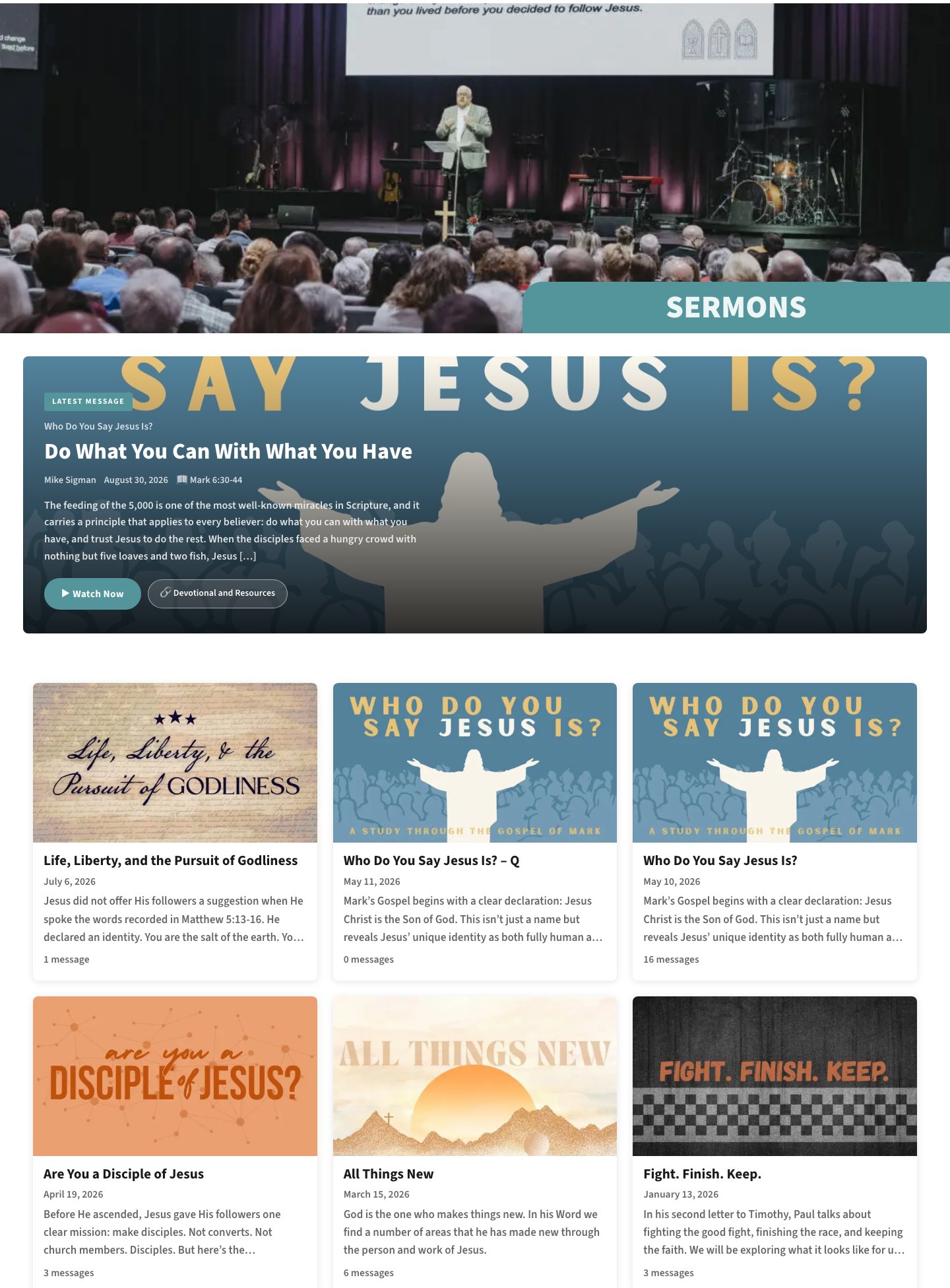
A clean, searchable library. Visitors browse by series, speaker, and topic — all styled to match your site.

One tidy dashboard. Add series and sermons, embed YouTube, and attach resources without touching code.
Everything your church needs to manage and share sermons.
Series Organization
Group sermons into series with artwork, descriptions, and dates.
YouTube & Spotify
Embed sermon videos from YouTube and podcast episodes from Spotify, each with a clean, responsive player.
Smart Filtering
Let visitors filter by topic, speaker, and campus to find what they need.
Scripture References
Link any scripture reference directly to Bible Gateway with one click.
Notes, Guides & Transcripts
Publish sermon notes, discussion guides, and transcripts as formatted, collapsible sections — or attach them as downloads.
Series Engine Import
Migrate your existing sermons from Series Engine with a one-click CSV importer.
Gutenberg Blocks
Add sermon lists and players anywhere using native WordPress blocks.
Shortcode Support
Works with any page builder via simple shortcodes.
REST API & Automation
Pull your sermon data into any system, or let your own tools publish new sermons straight into the site.
Your podcast, on your website.
Sermon Suite now works with Spotify just as it does with YouTube. Put a Spotify player on any sermon, or connect your church’s podcast and let every episode become a sermon page on its own.
Spotify players
Add an episode link to any sermon and a Spotify player appears on the page, right alongside the video. Paste whatever Spotify gives you — a share link, an app link, or just the ID.
Sync your whole podcast
Add your show once in Settings and every episode becomes a sermon, with its player and artwork attached. Sort them into series in a few clicks, and switch on the daily check to have each week’s sermon arrive on its own.
Cover art, automatically
Audio-only sermons pick up their episode artwork as thumbnails, so a podcast-first church gets a polished library without uploading a single image.
Players and artwork work out of the box. Syncing a whole podcast uses a free Spotify developer app, which takes a couple of minutes to set up.
Up and running in five minutes.
Download the plugin
Go to the latest release page and under Assets, download sermon-suite.zip.
Important: Download the file named sermon-suite.zip — not the Source code links. Those won't install correctly.Upload it to WordPress
In your WordPress admin, go to Plugins → Add New → Upload Plugin, choose the sermon-suite.zip file, and click Install Now.
Activate
Click Activate Plugin when the install finishes.
Refresh your links
Go to Settings → Permalinks and click Save Changes.
You don't need to change anything — just save. This registers the sermon page URLs.You’re set
A new Sermons menu appears in your WordPress sidebar. Add your first series and sermon there, or use Import CSV to migrate from Series Engine.
Bring your sermons with you.
Export your sermons from Series Engine, then use Sermon Suite’s built-in Import CSV tool under Sermons → Import CSV. It previews everything before saving so nothing gets lost.
Updates itself automatically.
Once installed, Sermon Suite updates itself. When a new version is released, it appears in your normal WordPress Plugins and Updates screens — one click to update, just like any other plugin.
Free for any church. Forever.
Download Sermon Suite and get your sermons online today. Need help with setup or migration? We’re happy to help.